Inside the MuVIT Boating Simulator: A District 22 Zoom Session Recap
If you’ve ever wondered how a group of boating enthusiasts builds a full-featured simulator on a budget, you’re in luck. Not too long ago, we hosted a live Zoom session exclusively for members of the MuVIT community within USPS District 22, and this one centered entirely on the MuVIT boating simulator — what it is, how it’s built, and how the project has evolved over the years.
The session runs for close to an hour and has a relaxed, conversational feel. Think less “formal webinar” and more “sitting in on a chat between fellow boaters” who happen to know a lot about building their own training tech.
What Is the MuVIT Boating Simulator?
For anyone new to the project, the MuVIT boating simulator was originally developed by the Tampa Power Squadron, part of the United States Power Squadrons, to support their boating safety course and continuing education offerings. What sets it apart from commercial alternatives is affordability: it’s a cost-effective, portable solution built from commercial off-the-shelf components and software, which means anyone can build their own simulator platform without specialized equipment.
One of the most surprising takeaways from the session? You don’t need a high-end gaming rig to run it. The MuVIT team has been running theirs on a standard laptop that’s commonly available to anyone, specifically an HP4540s i5 laptop released back in 2010. If you’ve got an old laptop gathering dust, it might just have a second life as a boating simulator for boat shows or classroom demos.
Cutting Costs Without Cutting Capability
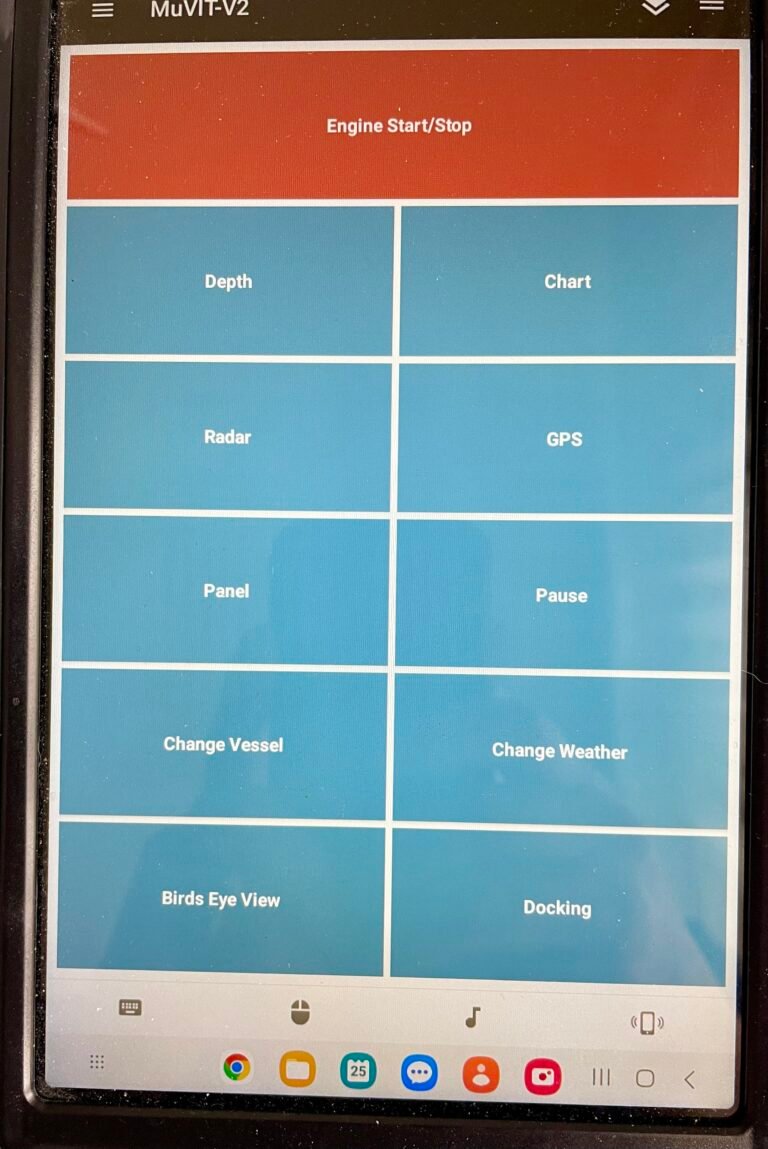
A portion. of the discussion focused on how the MuVIT boating simulator has evolved to become even more affordable. The team is moving away from the expensive VRInsight console, largely because it’s difficult to source and costly, and shifting instead to a tablet-based “glass cockpit” that handles switches for the chart, radar, and depth finder.
Other cost-saving updates covered in the session include:
- 3D-printed throttles that use a common microcontroller with a standard USB connection, designed to plug and play with Windows 10/11. A discussion was held about future throttle upgrades and fixes.
- Tablet-based controls using the free Unified Remote app, so you don’t even need to buy a dedicated tablet if you already own one
- A total hardware cost under $400 (not including the laptop) for anyone building the simulator themselves, a significant drop from earlier versions
Better Software, More Vessels
On the software side, the group has replaced the retired ShipSim software with Virtual Sailor NG from hangsim.com, which supports a wider range of vessels. Runabouts, pontoon boats, yachts, sailboats, and more. The current setup also includes integrated NMEA capabilities, enabling seamless communication with OpenCPN or other compatible navigation software.
One point that came up more than once during the session, worth repeating here: the MuVIT boating simulator is a training supplement, not a substitute. As emphasized during the discussion, nothing can replace real-life experience on the water when it comes to learning proper boat handling skills. The simulator is there to build confidence and familiarity before and alongside real time on the water.
Watch the Full Session
The recording is mostly unedited, aside from trimming a few extraneous bits at the very beginning and end, so what you’re getting is the real, unfiltered conversation — questions and all.
Grab your favorite beverage, get comfortable, and settle in. Whether you’re curious about how the MuVIT boating simulator works, what it costs to build, or how District 22 members are putting it to use, we think you’ll find this session genuinely helpful.
Learn more about the MuVIT boating simulator, including hardware guides, software downloads, and tutorials, at muvit-boating.com.